How to Add a CRA Authorized Representative
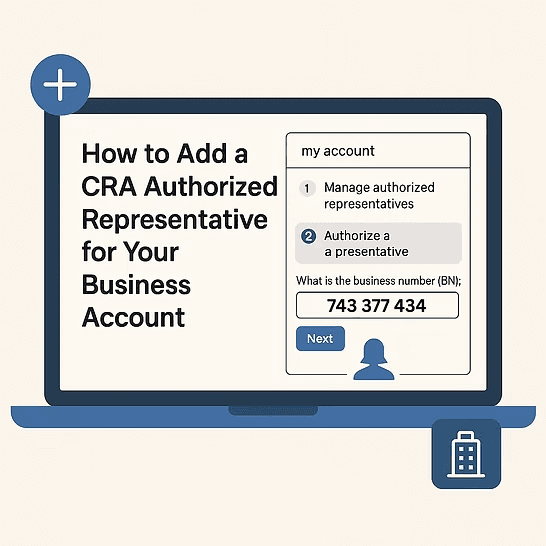
How to Add a CRA Authorized Representative for Your Business Account
Adding an authorized representative to your Canada Revenue Agency (CRA) business account allows an accountant, bookkeeper, or another trusted individual to access and manage tax-related matters on your behalf. This process is essential for business owners who want to streamline tax filings, correspondence, and account management.
Why Add an Authorized Representative?
An authorized representative can:
Manage tax filings and payments on your behalf
Communicate with the CRA regarding tax inquiries
Access and update business tax information
Handle GST/HST, payroll, and corporate tax matters
Steps to Add an Authorized Representative
The fastest and most convenient method to authorize a representative is online through My Business Account.
Contractor Tax Hub Professional Corporation requires Level 2 access which does not expire. Our business number is: 743 377 434
Authorizing a Representative Online
Step 1: Log in to CRA My Business Account
visit CRA Account
Sign in using your credentials or create an account if you don’t have one.
Step 2: Select your business account
If you do not see your business, follow the additional steps at the bottom.
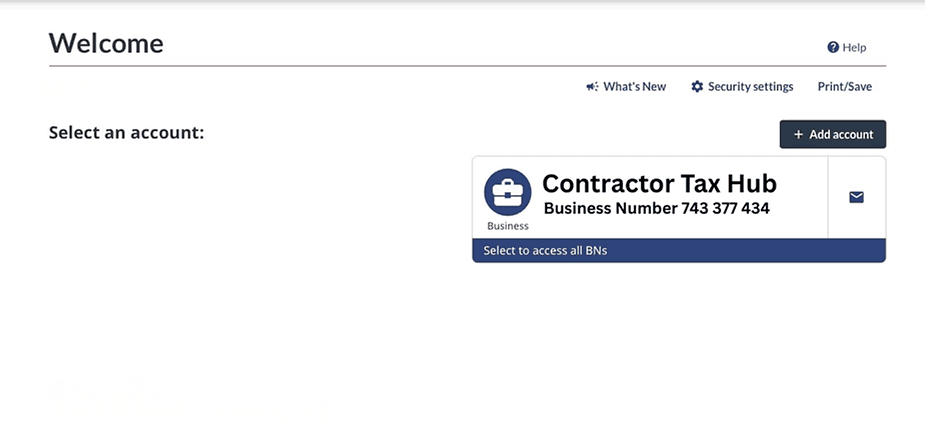
Step 3: Navigate to Manage Authorized Representatives
Navigate to the profile tab.

Under the "Profile" tab, find the "Authorized Representatives" section. Click on "Add".
Step 4: Enter the Representative’s Information
Input the representative’s Business Number (BN) to authorizing Contractor Tax Hub Professional Corporation, use the Business Number 743 377 434 and select Level 2.
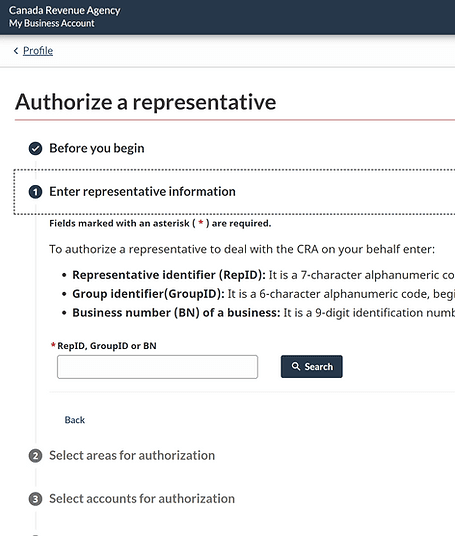
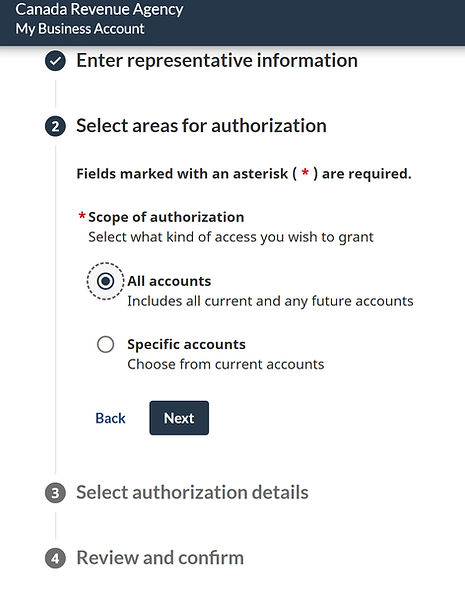
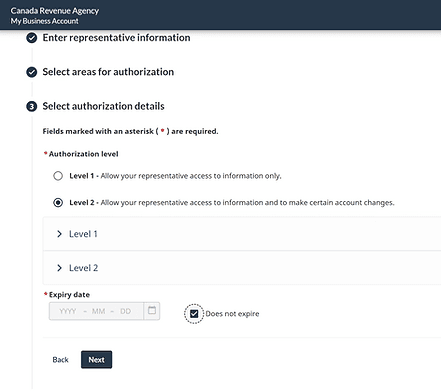
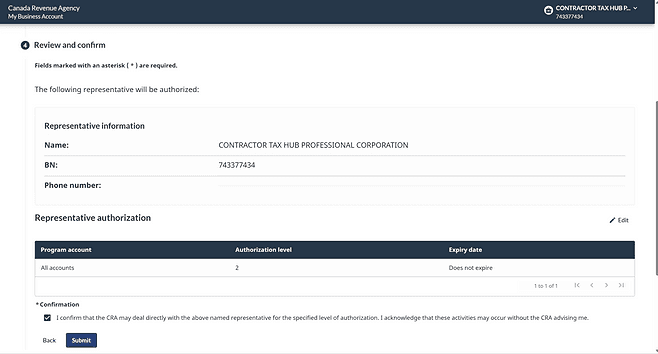
If you are not able to find your business under on CRA online
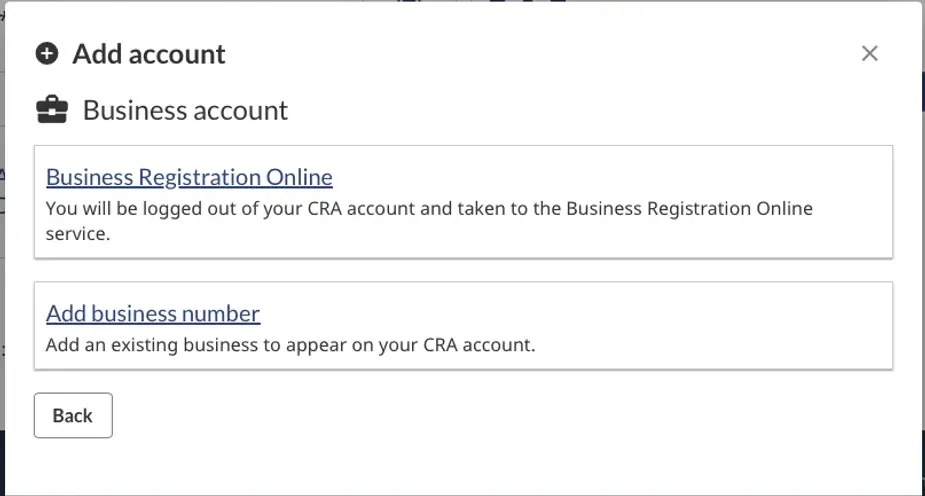
If you do not see your Business Number (BN) listed, you need to add it.Click on "Add account"
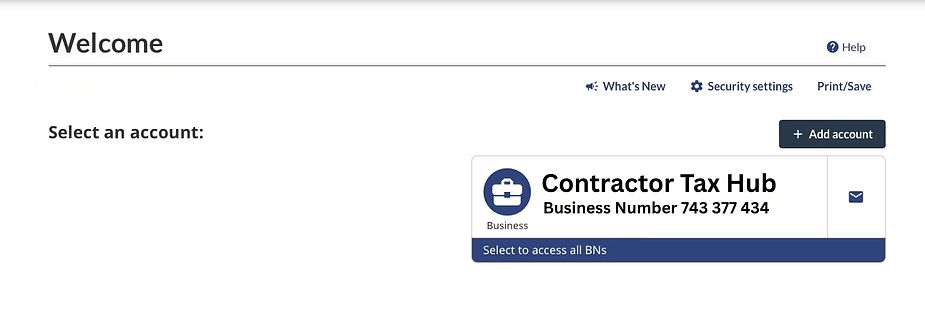
Select Business account
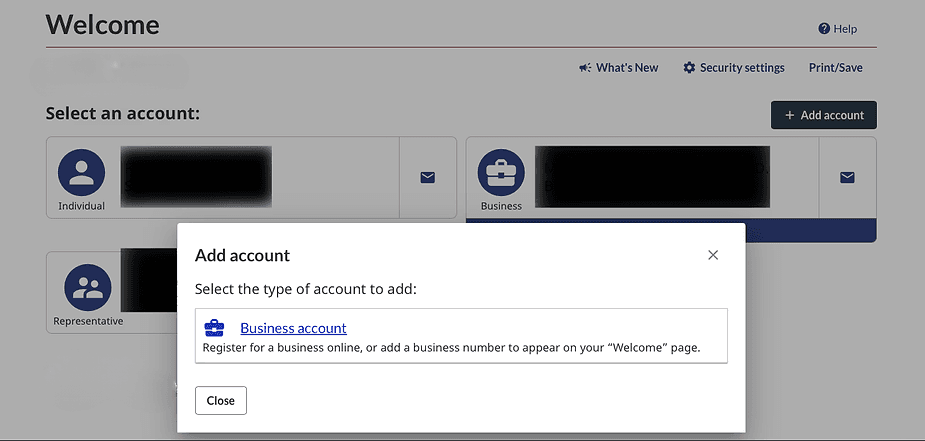
Choose "Add business number"
If you are unable to add your own BN, you must call the CRA at 1-800-959-5525 and select option 2 to link your SIN with your BN. When you call, make sure to have your incorporation documents ready as you will be asked questions for security purposes.